In the article mib:Peppol – e-Invoicing for SAP and other ERP systems we covered the architecture of the mib:Peppol solution. Now we will look at the solution from the user’s perspective and go through the different ways of working with the mib:Peppol tools.
Two environments are available to users:
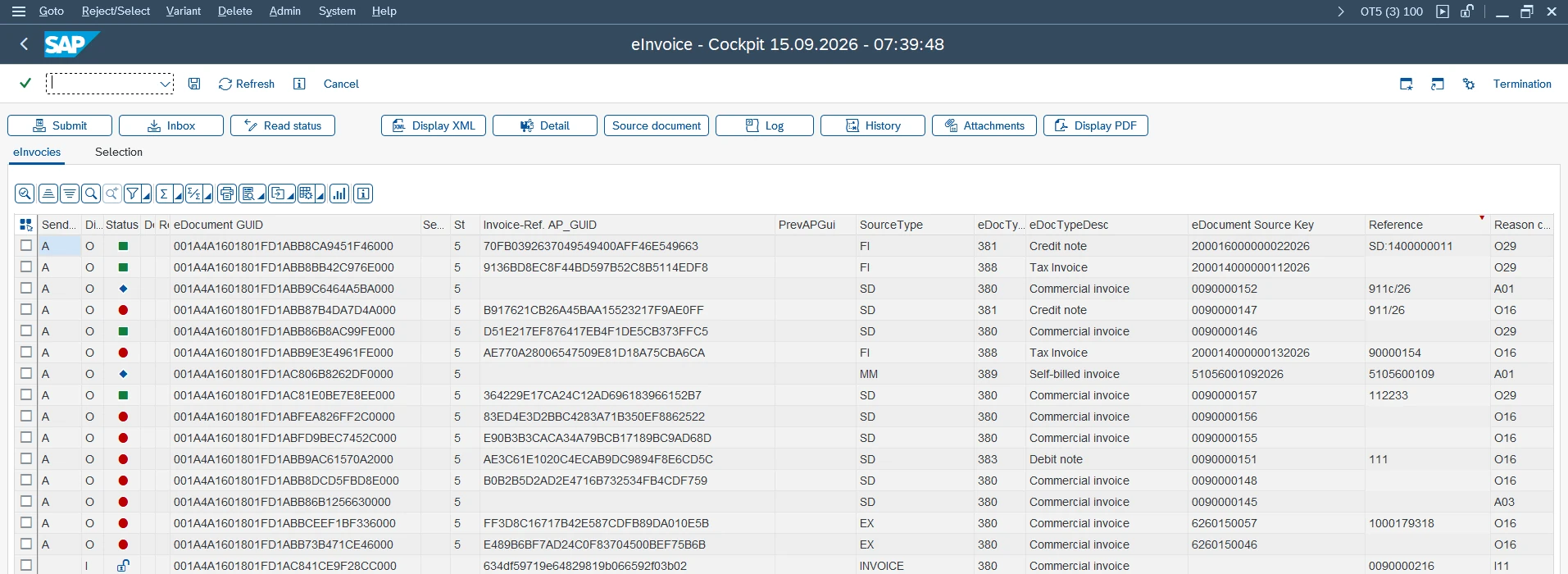
mib:Cockpit – an application within SAP intended mainly for everyday users. It provides a clear overview of sent and received invoices, their statuses and any processing errors.
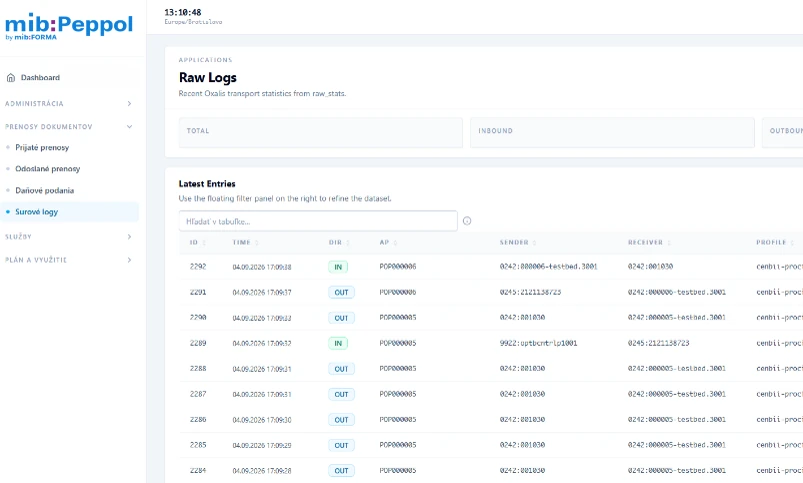
mib:Peppolbox – a web interface accessible through an internet browser. It is intended mainly for administrators and support staff for more detailed analysis of transmissions, document statuses and technical errors.
We are aware that users have different working habits and each prefers their own way of working in SAP. That is why the mib:Peppol solution, and specifically its mib:Cockpit module, is designed so that it can be adapted to different operational needs.
Automatic background sending: Do you prefer an established, efficient way of working and do not want to switch to new transactions? Or do you issue a large number of invoices every day and do not have the capacity to monitor electronic documents continuously?
You can set up background jobs that send documents without anyone having to enter the mib:Cockpit application manually. In the event of an error or exception, the system can notify the user through a configured notification.
Manual sending and status tracking: Do you want to keep the process of sending electronic invoices fully under control and monitor its status continuously?
This way of working is supported as well. In mib:Cockpit you can send invoices manually, track their processing statuses and work with received documents immediately after they arrive in the system.
Viewing a received invoice: How do you view the content of a received electronic invoice?
In mib:Cockpit you can display the received invoice in an easy-to-read PDF form generated from the data of the XML document. The finance team can thus check both header and line-item data without having to read the source XML.
Processing history and documents: Do you need to check retrospectively what happened to an invoice?
In mib:Cockpit you can display the processing history of the invoice and related files – the invoice XML, transmission confirmations and the TDD document for the Financial Administration of the Slovak Republic. You therefore have the materials for retrospective checks available directly in the SAP system.
Access by company code: Do you work in a larger company with several company codes, handled by different users?
mib:Cockpit supports access authorisation management at company-code level. This makes it possible to ensure that users can access only the documents and activities they are authorised to access.
Investigating a transmission error: Do you need to find out why an invoice transmission failed?
In mib:Peppolbox you can search for a specific document and view the status and history of its transmission, related documents and detailed logs. Administrators or support staff thus have the data needed to investigate the problem.
We are flexible with individual requirements. We assess customisation options, time required and implementation effort according to the specific needs of the company.
Watch the narrated video demo of sending and receiving an invoice in SAP. You can find more video demos of working with mib:Peppol among the other posts on our website.
In the next article you will learn more about the framework comparison of mib:Peppol and SAP Document and Reporting Compliance (SAP DRC).